Translateasy Lingual Assistant

Translateasy Lingual Assistant

Books & Reference4.7.0
4.1

Unlock seamless worldwide communication with Translateasy Lingual Assistant, the best free translation app. now for real-time chat, voice, and camera translations.

Screenshots
Translateasy Lingual Assistant Screenshot 1Translateasy Lingual Assistant Screenshot 2Translateasy Lingual Assistant Screenshot 3Translateasy Lingual Assistant Screenshot 4Translateasy Lingual Assistant Screenshot 5Translateasy Lingual Assistant Screenshot 6Translateasy Lingual Assistant Screenshot 7Translateasy Lingual Assistant Screenshot 8Translateasy Lingual Assistant Screenshot 9Translateasy Lingual Assistant Screenshot 10Translateasy Lingual Assistant Screenshot 11Translateasy Lingual Assistant Screenshot 12Translateasy Lingual Assistant Screenshot 13Translateasy Lingual Assistant Screenshot 14Translateasy Lingual Assistant Screenshot 15Translateasy Lingual Assistant Screenshot 16Translateasy Lingual Assistant Screenshot 17Translateasy Lingual Assistant Screenshot 18Translateasy Lingual Assistant Screenshot 19Translateasy Lingual Assistant Screenshot 20Translateasy Lingual Assistant Screenshot 21Translateasy Lingual Assistant Screenshot 22Translateasy Lingual Assistant Screenshot 23Translateasy Lingual Assistant Screenshot 24Translateasy Lingual Assistant Screenshot 25Translateasy Lingual Assistant Screenshot 26Translateasy Lingual Assistant Screenshot 27Translateasy Lingual Assistant Screenshot 28Translateasy Lingual Assistant Screenshot 29Translateasy Lingual Assistant Screenshot 30Translateasy Lingual Assistant Screenshot 31Translateasy Lingual Assistant Screenshot 32

Download Translateasy Lingual Assistant

You are going to be redirected to the official website to finish the download when you click the button below.

About Translateasy Lingual Assistant

Translateasy Lingual Assistant is a user-friendly mobile app designed to simplify language translation and communication. As an effective Android app, it offers accurate and fast translations, making it an ideal app-based solution for travelers, students, and professionals seeking seamless language support. Its intuitive interface enhances the overall app experience, helping users break language barriers effortlessly.

Overview

Core Features

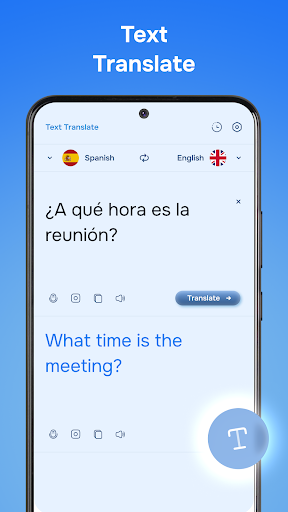
  • The app features instant text translation, making language barriers disappear quickly and easily.
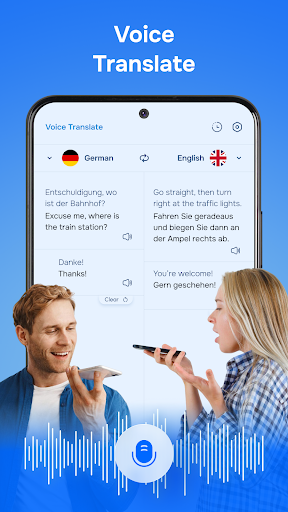
  • Real-time voice translation allows smooth conversations in different languages without delays.
  • Offline mode ensures translation capabilities even when internet access is unavailable, ideal for travel.
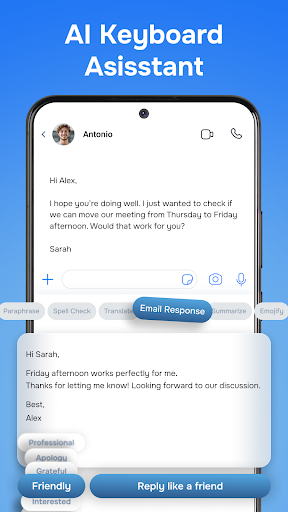
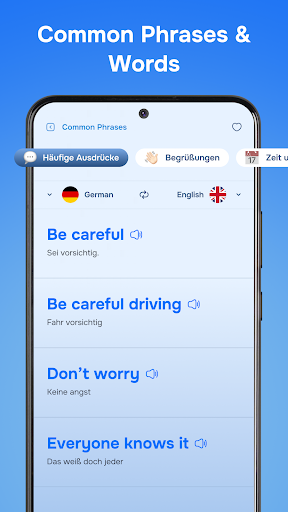
  • The app includes a built-in dictionary and pronunciation guide to enhance language learning.
  • Smart auto-detection identifies the input language automatically for seamless app experience.
  • Customizable language pairs allow users to set preferred translations and improve accuracy.
  • Intuitive design and easy navigation give an enjoyable user experience for all skill levels.

Who This App Is For

This mobile app is perfect for travelers, students, and professionals working with multiple languages. It benefits anyone seeking quick and reliable translations on their Android device. Whether you're learning a new language or communicating abroad, this app offers a practical solution.

People who need an effective app-based solution for real-time communication, language study, or quick reference will find it especially helpful. It suits a wide demographic, from beginners to advanced speakers, looking for a user-friendly launcher app with comprehensive features.

Why Choose This App

This Android app stands out because of its reliable app features, combining ease of use with powerful translation tools. It delivers an excellent app experience for users seeking a trustworthy and efficient language translation tool.

Designed to meet the needs of diverse users, it provides accurate translations and a smooth interface, making it a top choice among similar apps. Its blend of innovative features and dependable performance ensures satisfaction for a wide range of language enthusiasts and professionals alike.

Features

Level 1: Innovative multilingual translation app for global communication

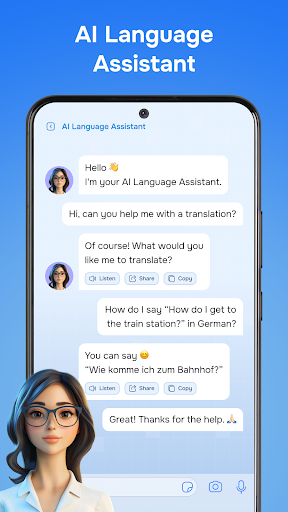
Level 2: Seamless real-time translation; User-friendly experience

Level 3:

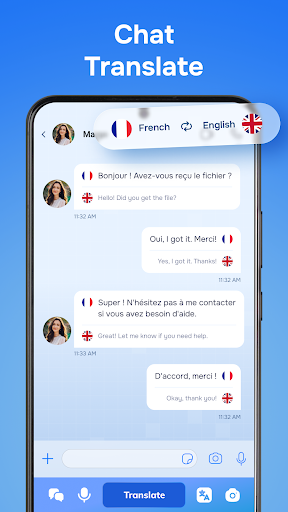
- Instant chat translation for smooth conversations

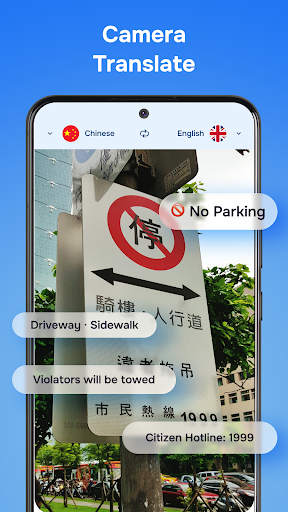
- Accurate camera translation for signs and menus

- Real-time voice translation for natural speech

- Quick text translation for written documents

Level 4:

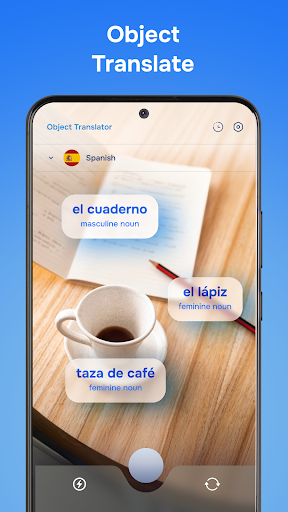
- Object recognition for interactive exploration

- Offline language access for remote use

Pros

  • +
    Intuitive User Interface
    The app offers a clean and easy-to-navigate design, making language translation accessible for users of all skill levels.
  • +
    Accurate Contextual Translations
    Translateasy Lingual Assistant provides high-accuracy translations that consider context, helpful for complex phrases.
  • +
    Supports Multiple Languages
    Offers translation for over 50 languages, broadening its usability worldwide.
  • +
    Offline Mode Available
    Enables users to access translations without internet connectivity, ideal for travel or remote areas.
  • +
    Integrated Pronunciation Guides
    Includes audio pronunciation features that assist users in learning correct pronunciation.

Cons

  • -
    Limited Free Usage
    The free version has a daily limit on translations, which may inconvenience frequent users.
    medium
  • -
    Occasional Translation Delays
    Some translations may take longer during peak usage times due to server load, but official updates are expected to improve this.
  • -
    Basic Grammar Correction Only
    Grammar correction features are limited and might not catch all language nuances—users can provide feedback for future updates.
    low
  • -
    Limited Customization Options
    Users cannot fully customize the interface or translation settings yet, but customization enhancements are planned.
  • -
    Inconsistent Support for Less Common Languages
    Translations for rarer languages may lack precision; the developers are working on expanding language coverage.


FAQ

Is Translateasy Lingual Assistant safe to use on my device?

Yes, Translateasy Lingual Assistant is designed with user safety in mind. The app is available on trusted platforms like the Google Play Store, which regularly reviews apps for security issues. Always ensure you download from official sources to keep your device secure. This app is built to provide a reliable app experience, with regular updates and security features that protect your data. As an app-based solution, it prioritizes user privacy, so you can use it confidently for translating and learning languages.

How do I install the Translateasy Lingual Assistant Android app?

Installing this mobile app is straightforward. You simply find it on the Google Play Store and tap the install button. No complicated steps are involved, making it accessible to users of all experience levels. Once installed, the app offers a smooth app experience with intuitive features. If you encounter any issues during installation, checking your device settings or ensuring your software is up-to-date can help resolve common problems.

Can I use Translateasy Lingual Assistant offline?

Yes, one of the key app features is offline support. After downloading language packs, you can use the app without an internet connection. This makes it a real app-based solution for travelers or anyone needing translation on the go. The app experience is designed to be flexible, allowing you to switch between online and offline modes easily. Offline capabilities enhance usability, especially in areas with poor network coverage while still maintaining accuracy and speed.

Does the app support multiple languages and dialects?

Absolutely. Translateasy Lingual Assistant supports a wide range of languages and dialects, making it suitable for diverse translation needs. This feature is a significant app feature, helping users communicate more effectively across language barriers. The app offers real-time translation, which is popular among users seeking quick and accurate language solutions. Its extensive language database makes it a trusted choice for global communication, whether for travel, study, or business.

Is Translateasy Lingual Assistant suitable for language learners?

Yes, many users find this Android app helpful for language learning. Its translation features, pronunciation guides, and vocabulary suggestions provide a rich app experience for learners of all levels. Using this app as part of your study routine can improve your vocabulary and understanding of different languages. Its user-friendly design makes it easy for anyone to start practicing and expanding their language skills.

Where can I find more information or support for the app?

You can visit the official Google Play Store page for detailed information about Translateasy Lingual Assistant. The listing provides updates, reviews, and support options from the developer. For additional help, consider reaching out through the contact information provided or exploring user reviews for tips. Reliable support resources help ensure a positive app experience and answer any questions you might have.

Does the app work well on all Android devices?

Translateasy Lingual Assistant is built to work smoothly on most Android devices. Its compatibility and app features are optimized to deliver a consistent app experience across various models and versions. To get the best performance, ensure your device's operating system is up-to-date. An updated system will help prevent bugs and improve overall stability, making your use of this launcher app as seamless as possible.

Are there any safety or privacy concerns I should know about?

The developer of this mobile app emphasizes user privacy and data security by adhering to standard safety protocols. Your translations and personal data are handled with care to protect your privacy. Choosing an app based on trustworthiness ensures that your app experience remains safe and reliable. Always review app permissions and privacy policies to stay informed about how your data is used.

Recommended

More →