

Mureka: AI Radio & Music Maker
Create professional AI-generated music effortlessly with Mureka, the ultimate music maker app. now for free and unleash your creativity today!
Screenshots
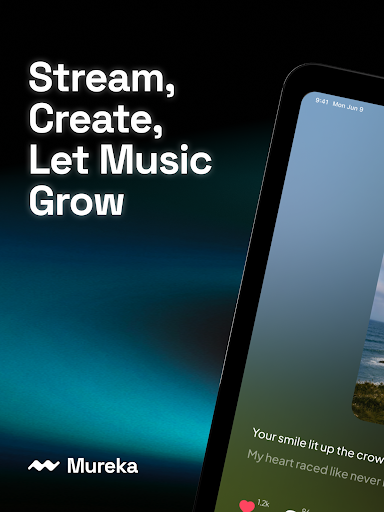
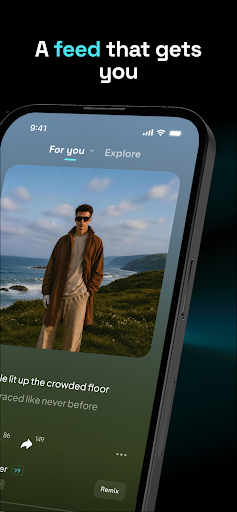
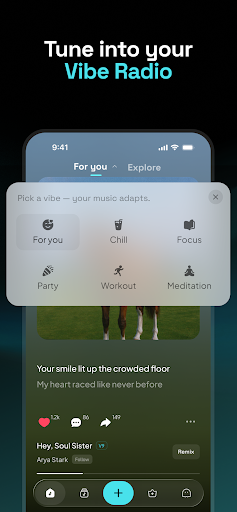
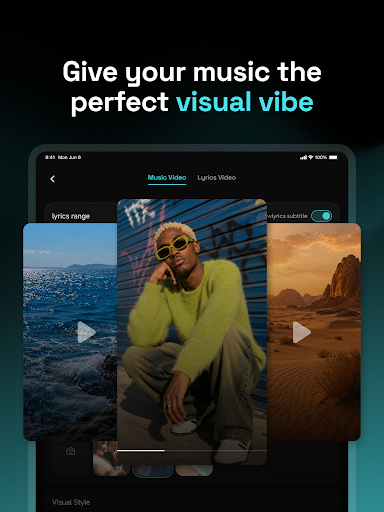
Download Mureka: AI Radio & Music Maker
You are going to be redirected to the official website to finish the download when you click the button below.
About Mureka: AI Radio & Music Maker
Mureka - AI Song & Music Maker is a innovative mobile app designed for music enthusiasts and creators. As an Android app, it offers users the ability to compose, edit, and produce songs effortlessly using advanced AI-powered features. With its intuitive interface and powerful tools, this app provides an engaging app experience for both beginners and experienced musicians looking for a convenient app based solution to bring their musical ideas to life.
Overview
Core Features
- Intuitive music creation tools that let users produce songs easily with AI-powered assistance.
- Advanced app features include real-time music generation and customizable sound templates.
- Offline mode allows users to create and edit music without needing an internet connection.
- User-friendly interface enhances the app experience for both beginners and experienced musicians.
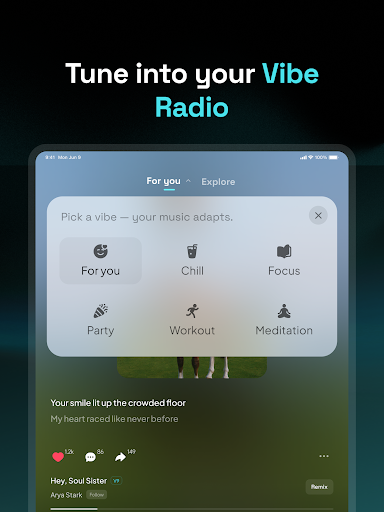
- Integrated AI algorithms provide personalized music suggestions based on user preferences.
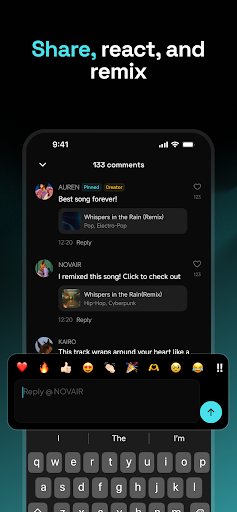
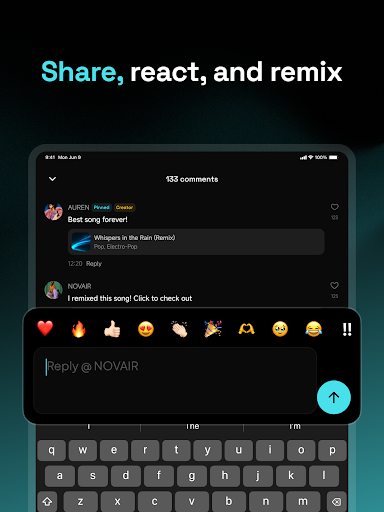
- Supports sharing creations directly from the app, making it easy to showcase your music.
- App functions seamlessly on Android app devices, offering a smooth and reliable experience.
Who This App Is For
This mobile app is ideal for aspiring musicians, music enthusiasts, and content creators seeking an easy-to-use music maker on Android devices.
It suits users looking for an app-based solution to craft, modify, or experiment with music without complex software, enhancing their app experience in a portable format.
Why Choose This App
With its innovative app features and AI-driven music tools, this Android app offers a unique experience for music lovers who want to create on the go.
It stands out by providing a comprehensive app-based solution that is simple, efficient, and tailored to both beginners and hobbyists seeking quality music production tools.
Features
1. Simple AI music creation for everyone
2. Personalized tracks with high-quality sound
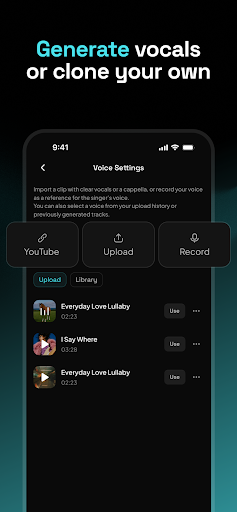
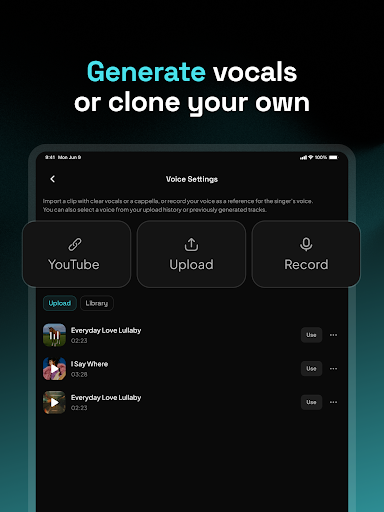
3. Select vocal styles to match your voice
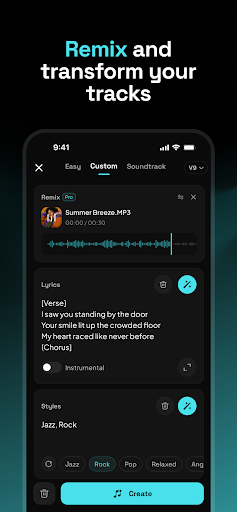
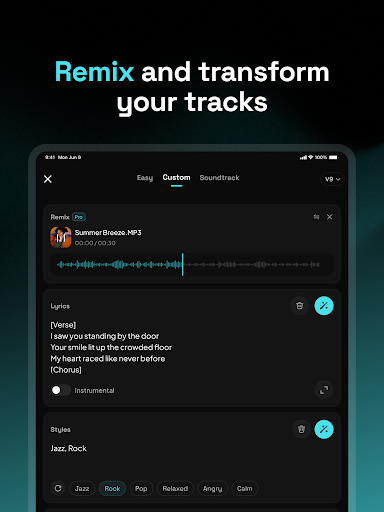
4. Customize moods, genres, and instruments
5. Generate songs based on reference tracks
6. Capture melodies and build arrangements
7. Share projects and collaborate globally
8. Easily produce professional and monetizable music
Pros
- +Intuitive AI-powered music creationUsers can effortlessly generate music with minimal technical knowledge, making it accessible for beginners.
- +Wide variety of music styles and genresThe app offers diverse options, enabling users to produce different types of songs from pop to electronic.
- +Customizable parameters for personalized resultsUsers can tweak various settings like tempo and mood to tailor the generated music to their preferences.
- +High-quality audio outputThe generated tracks maintain professional sound standards suitable for both casual listening and professional use.
- +Integrated music editing toolsBuilt-in features allow users to refine and enhance their compositions directly within the app.
Cons
- -Limited free features and export optionsMany advanced functionalities require a subscription or in-app purchases, which may deter some users.medium
- -Occasional repetitive compositionsGenerated music may sometimes lack originality, especially with repeated prompts, but users can try tweaking parameters for variety.medium
- -Steep learning curve for advanced featuresNew users might need time to understand all customization options; official tutorials are expected to improve onboarding.low
- -Sound quality variations with complex arrangementsWhile generally high, some intricate compositions may not sound as polished; official updates aim to optimize engine performance.low
- -Limited collaboration featuresThe app currently lacks real-time collaboration, but future versions are expected to include this functionality.low
FAQ
How do I log into Mureka - AI Song&Music Maker for the first time?
Getting started with Mureka is straightforward. When you open the app, you'll be prompted to create an account using your email or social media accounts. This step ensures your music projects are saved securely.
As a trusted mobile app with a user-friendly interface, Mureka provides a seamless app experience right from initial login. Once logged in, you can explore its app features and start creating music instantly, whether you're on Android or other devices.
Is Mureka - AI Song&Music Maker safe to use on my device?
Yes, Mureka is designed with user safety and privacy in mind. It is a reputable Android app available on the Google Play Store, adhering to industry standards for secure app usage.
To ensure your safety, always download the app from official sources and keep it updated. The app based solution offers reliable performance without compromising your device's security, giving you peace of mind while creating music.
What are the main features of Mureka - AI Song&Music Maker?
Mureka offers a range of app features tailored for music enthusiasts. These include AI-powered music creation, customizable loops, and easy editing tools, making it a compelling launcher app for music production.
The app's features are designed to be intuitive, providing a rich app experience that helps both beginners and experienced musicians craft songs easily on their mobile devices.
Can I use Mureka on both Android and iOS devices?
Currently, Mureka is available as an Android app on the Google Play Store. If you're on an iPhone, check for the availability of the app in the App Store or similar app based solutions designed for iOS.
For Android users, the app provides a smooth and engaging app experience, making it a popular choice among launcher apps for music creation on mobile devices.
What should I do if I encounter issues installing or using Mureka?
If you face any problems with the installation or operation, ensure your device meets the app requirements and has enough storage space. Restarting your device can often resolve minor glitches.
For further assistance, consult the app's help section or contact support through the app store listing. As a reliable Android app, Mureka is built to offer a stable app experience, but user issues are promptly addressed by the developers.
Does Mureka offer offline music creation features?
Yes, Mureka allows you to create music offline after initial setup, which is great for users who want to work without constant internet connection. This makes it a versatile app for musicians on the go.
Offline capabilities enhance the overall app experience, especially for those using a music and audio launcher app that prioritizes flexibility and mobility.
Are there regular updates and new features for Mureka?
Yes, the developers regularly update Mureka to improve performance, add new features, and maintain security. Staying current helps ensure your app based solution remains reliable and safe.
This commitment to updates reflects the app's dedication to providing a superior app experience for music creators and enthusiasts alike.
Is Mureka suitable for professional music production?
Mureka is primarily designed for casual users and hobbyists who want to explore music creation on their mobile devices. While it offers impressive app features, it might lack some advanced tools found in professional DAWs.
However, for those looking for a fun, easy-to-use launcher app with AI-powered features, Mureka provides a trustworthy app experience that can spark creativity and serve as a stepping stone into more complex music production tools.





