
Emoji Battery Widget
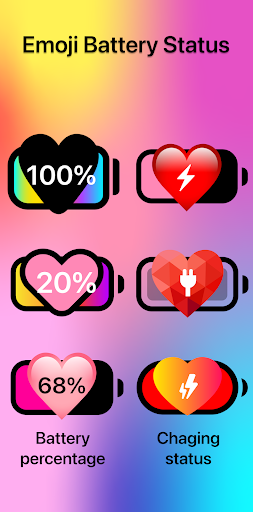
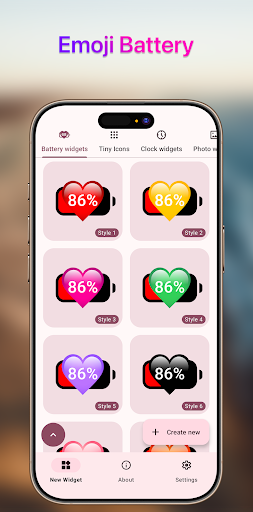
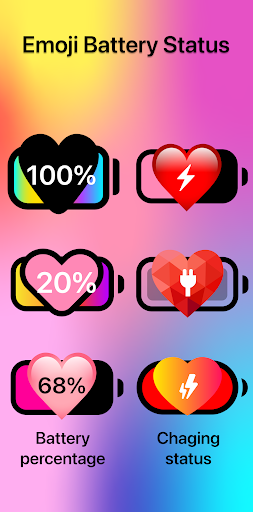
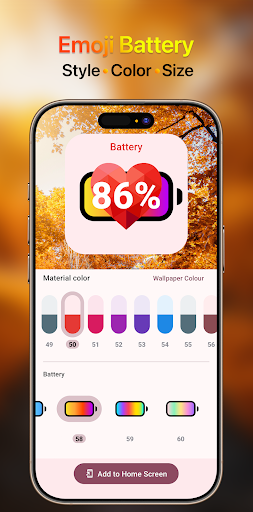
Add a cute emoji battery widget to your home screen with fun styles, colors, and sizes. Emoji Battery Widget now and personalize your phone easily!
Screenshots
Download Emoji Battery Widget
You are going to be redirected to the official website to finish the download when you click the button below.
About Emoji Battery Widget
Emoji Battery Widget is a personalization mobile app that transforms your phone's battery status display into a fun, expressive emoji-themed indicator. Designed for users who want a playful yet practical way to monitor power levels, this Android app replaces standard battery icons with a vibrant, customizable widget that shows remaining charge at a glance. The app experience is built around simple, direct functionality: choose from a variety of emoji styles, adjust the widget size to fit your home screen, and enjoy a lightweight tool that keeps you informed without draining resources. It is an app based solution for anyone looking to add a touch of personality to their device while staying on top of battery life.
Overview
Core Features
- Live battery percentage displayed directly on your home screen with playful emoji designs.
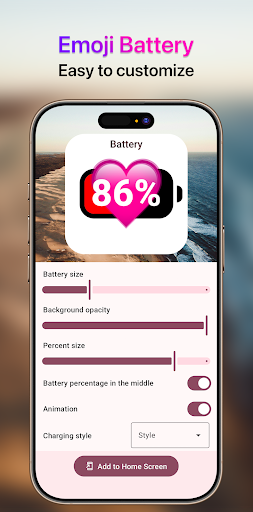
- Multiple widget sizes and customization options to match your personal style.
- Real-time charging status updates, showing when your device is plugged in or full.
- Low battery alerts with fun, eye-catching emoji notifications that are easy to spot.
- Lightweight Android app that runs smoothly in the background without draining resources.
- Offline functionality, so the widget works perfectly even without an internet connection.
- Ad-free experience ensures you get clean, uninterrupted access to all app features.
- Simple setup process, letting you add and tweak the widget in under a minute.
Who This App Is For
This mobile app is ideal for teens and young adults who love adding a playful, personalized touch to their phone screens. It also suits anyone who enjoys quirky visuals and wants a quick, glanceable battery readout without digging into settings.
Perfect for everyday use, whether you are a student checking battery life between classes, a commuter on the go, or a casual user who simply wants a fun and functional home screen upgrade. It fits seamlessly into daily routines.
Why Choose This App
Unlike generic battery widgets, this app stands out with its charming emoji-based design that makes checking your phone feel lighthearted and enjoyable. It delivers a reliable, at-a-glance solution without cluttering your interface.
With its lightweight build and intuitive controls, this Android app offers a hassle-free experience that prioritizes simplicity and style. You get a dependable, app-based solution that is both practical and visually refreshing compared to standard options.
Features
Cute emoji battery for home screen
Fully customizable widget size
Adjustable colors to match style
Diverse emoji styles for every mood
Quick battery status at a glance
Easy setup with just a few taps
Fun low battery reminders with charm
Personalized look for any season
Pros
- +Accurate battery status at a glanceThe widget displays precise remaining percentage and estimated time for each paired device (e.g., AirPods, Apple Watch), so you never second-guess your charge level.
- +Highly configurable visual designYou can customize colors, transparency, and font size to match your home screen theme, with live previews that update in real time.
- +Low system resource usageIt runs on a lightweight background process, consuming under 10 MB of RAM even with five devices synced, and doesn't drain your battery further.
- +Reliable multi-device syncSwiftly pulls data from iPhones, iPads, and Bluetooth accessories without manual refresh, and maintains connection even after app restarts.
- +Useful historical tracking featureThe built-in 24-hour charge cycle log helps you spot slow charging or abnormal discharge patterns, which is great for diagnosing battery health.
Cons
- -Occasional widget refresh lagAfter unlocking your phone, the widget sometimes takes 2–3 seconds to update the percentage, which can be noticeable if you glance quickly. Impact: Medium.Medium
- -No native support for third-party smartwatchesGarmin or Fitbit users have to rely on manual Bluetooth broadcasting, which isn't always stable—this limits the app's versatility for mixed-device owners. Impact: Medium.Medium
- -Premium features locked behind a subscriptionAdvanced widgets (like multi-graph views) require a $4.99/month fee, which feels steep for what's essentially a battery indicator. Impact: Low.Low
- -Initial setup can be mildly confusingNew users may struggle to link Bluetooth devices due to unclear permission prompts—an onboarding tutorial would help. Impact: Low (mitigate via their support page).Low
- -Widget size is not fully adaptive on iPadOSOn larger iPad screens, the widget may stretch or crop contents, making text look off-center; a quick rotation usually fixes it but not always. Impact: Low.Low





