
DJ Beat Maker & Drum Pad
DJ Beat Maker & Drum Pad, the top free music creation app for beginners and pros. Create beats, record, and share your tunes today!
Screenshots
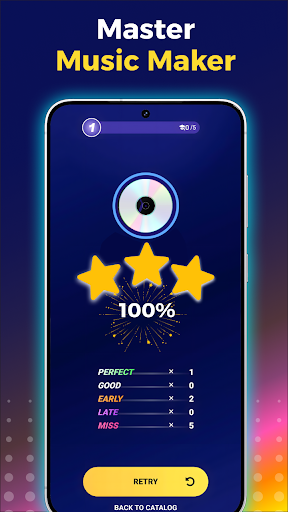
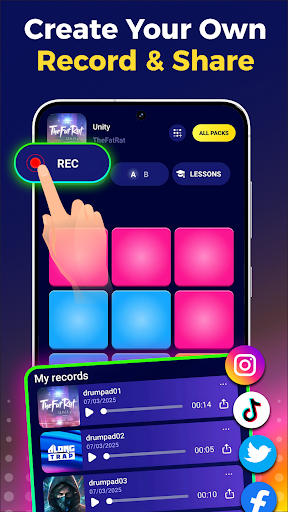
Download DJ Beat Maker & Drum Pad
You are going to be redirected to the official website to finish the download when you click the button below.
About DJ Beat Maker & Drum Pad
DJ Beat Maker & Drum Pad is a versatile mobile app designed for music enthusiasts and aspiring DJs. It provides an intuitive platform to create, customize, and play beats using a variety of drum sounds. This Android app offers a smooth app experience, making it easy for users to produce professional-sounding tracks right from their devices.
Overview
Core Features
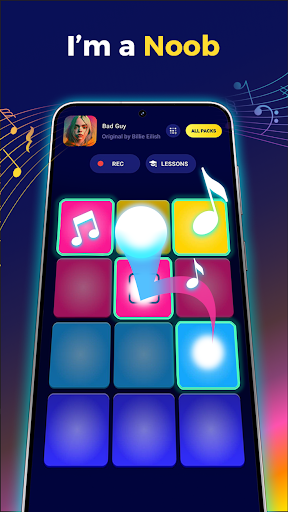
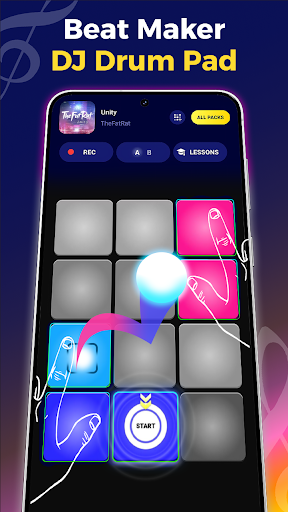
- Intuitive drum pad interface suitable for beginners and experienced musicians to craft beats easily.
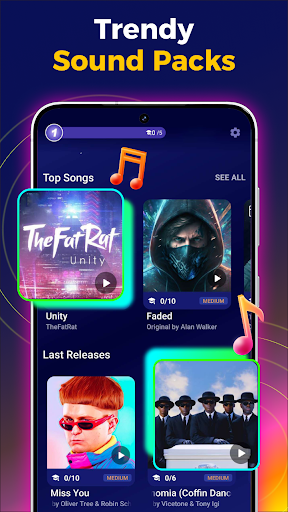
- Multiple built-in sounds and instruments to create diverse music styles within the app features.
- Real-time playback and recording options allow users to layer and perfect their performances.
- Offline mode enables music creation without needing an internet connection, enhancing app experience.
- Customizable kits and sound effects provide a personalized touch to your music projects.
- Seamless sharing options help users distribute their tracks directly from the app to social media.
Who This App Is For
This mobile app is perfect for aspiring music producers, hobbyists, or anyone passionate about making beats on their Android app.
It's especially useful for DJs, musicians, or students looking for an app-based solution to practice, compose, or perform music anytime, anywhere.
Why Choose This App
This Android app stands out with its user-friendly interface and comprehensive app features that suit all skill levels. It offers a reliable app experience for creating professional-sounding tracks.
Its real-time sync and extensive sound library make it an excellent app-based solution for musicians seeking versatility and quality in their music production tools, all within a trusted and well-designed mobile app.
Features
Level 1: Fun and Easy Music Creation Tool
Level 2: Intuitive Interface Accelerates Learning
Level 3:
- Create beats and mix tracks effortlessly
- Access diverse sound effects and samples
- Record and share your music easily
- Use various themes for fresh experience
Level 4:
- Practice drumming silently anywhere
- Customize sounds for unique productions
Pros
- +Intuitive interface for quick onboardingThe app has a user-friendly layout that allows even beginners to start creating beats immediately.
- +Wide variety of high-quality sounds and drum kitsOffers diverse sound options suitable for different music styles, enhancing creative flexibility.
- +Real-time editing features for dynamic music productionEnables users to tweak beats on the fly, making live performances more engaging.
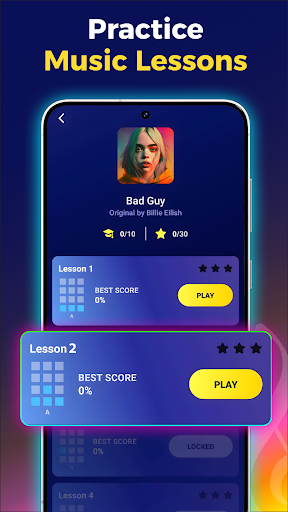
- +Built-in tutorials and guided workflowsProvides helpful resources that assist new users in mastering app features quickly.
- +Low latency response ensuring smooth beat creationDelivers minimal lag during playback and recording, improving user experience.
Cons
- -Limited customization options for sound effectsUsers cannot extensively modify individual sound parameters, which might restrict tailored sound design. For now, users can use external editing apps to refine sounds.low
- -Occasional app crashes on older devicesThe app may unexpectedly close during intensive use on some older smartphones, but updates are expected to improve stability.medium
- -Basic recording features without multi-track supportLacks advanced multi-track editing capabilities, which could limit complex compositions. Future updates may introduce multi-track functionality.medium
- -Some preset sounds may sound repetitive after prolonged useLimited variety of preset kits may lead to repetition; users can create and save their custom kits to mitigate this.low
- -Limited sharing options for finished projectsExports are mainly through standard formats, with fewer social sharing integrations. Developers are planning to expand sharing features in upcoming releases.low
FAQ
How do I log into DJ Beat Maker & Drum Pad app?
Getting started with DJ Beat Maker & Drum Pad is straightforward. When you open the app, you'll find options to sign in using your email or social media accounts. This process ensures your customized settings are saved across devices.
By logging in, you can access your preferences and save your created tracks easily. This app experience is designed to be user-friendly, even if you're new to music and audio apps on Android devices.
Is DJ Beat Maker & Drum Pad safe to use on my Android device?
Yes, DJ Beat Maker & Drum Pad is a safe mobile app that has been thoroughly tested for security and privacy. It adheres to Android app safety standards, making it reliable for users concerned about their device's security.
Always download apps from reputable sources like the Google Play store to ensure you're using the official version. This app offers an immersive app based solution for creating music without risking your device's safety.
What are the main app features of DJ Beat Maker & Drum Pad?
This music and audio app features a wide variety of drum pads, sound kits, and customizable options that let you craft beats easily. Its intuitive interface is designed for both beginners and experienced musicians alike.
The app experience includes real-time playback, multi-tracker support, and sharing options. These features make it a versatile launcher app for creating and playing music on your Android device.
Can I use DJ Beat Maker & Drum Pad offline?
Yes, one of the standout app features is its ability to be used offline once installed. Whether you're on a plane or in a location with no internet, you can still access your beat-making tools and fun sound kits.
This app based solution provides a seamless app experience without constantly needing an internet connection, making it ideal for musicians on the go.
Which Android devices are compatible with DJ Beat Maker & Drum Pad?
The app is compatible with most Android devices running from Android 5.0 (Lollipop) and above. Make sure your device is up to date to enjoy the best app features and smooth performance.
This mobile app is optimized for a wide range of Android smartphones and tablets, making it accessible to a broad user base looking for a reliable launcher app for music creation.
How do I update DJ Beat Maker & Drum Pad to the latest version?
Updates are typically available through the Google Play store as part of the app's regular app experience improvements. You should receive notifications for updates or check the store periodically.
Keeping your app updated ensures you have access to new features, bug fixes, and security improvements, providing a more trustworthy app based solution for your music needs.
Is there customer support available if I encounter problems?
Yes, most app developers provide support through the app store or their official website. For DJ Beat Maker & Drum Pad, you can find contact options on the Google Play store page or within the app itself.
This support helps ensure a positive app experience and builds trustworthiness by addressing user concerns promptly.
Can I use DJ Beat Maker & Drum Pad as a launcher app on my Android device?
While DJ Beat Maker & Drum Pad primarily functions as a music creation app, it can also serve as a launcher app for quickly accessing your favorite sounds and features. Its user-friendly interface makes it easy to navigate your music projects.
For those interested in streamlined access to music tools, this app offers a practical app experience that integrates well with your Android device's functionality.