

Comic Maker - Arcstory
Create stunning comics easily with ArcStory, the AI-powered comic strip maker. now for free and unleash your creativity with this beginner-friendly app.
Screenshots

Download Comic Maker - Arcstory
You are going to be redirected to the official website to finish the download when you click the button below.
About Comic Maker - Arcstory
Comic maker - Arcstory is an innovative mobile app designed for comics enthusiasts and creators. This Android app offers a simple yet powerful platform to craft, customize, and share comic stories seamlessly. With user-friendly features, it provides an engaging app experience for both beginners and seasoned comic artists, making it a popular choice among comic creation tools.
Overview
Core Features
- The app features an intuitive interface that makes creating comics easy for users of all skill levels.
- Multiple customizable templates and backgrounds help users craft unique comic stories effortlessly.
- Real-time editing and auto-save ensure a smooth app experience without losing progress.
- Support for adding text, speech bubbles, and visual effects enhances creativity and storytelling.
- Export options include high-quality images and sharing directly to social media or device storage.
- Includes a built-in gallery to browse and inspire with community-created comics and art.
- The app functions seamlessly on Android app devices, making it a versatile launcher app for creative projects.
- Offline mode allows users to work without internet, ensuring uninterrupted access to app features.
Who This App Is For
This mobile app is perfect for comic enthusiasts, artists, and aspiring creators aged 12 and above who want a simple, engaging platform to express their creativity.
It is an excellent app-based solution for educators, students, or hobbyists seeking a fun way to develop storytelling skills or share comics with friends and communities.
Why Choose This App
This Android app stands out with its user-friendly design and comprehensive app features, delivering a great app experience for beginners and pros alike.
It offers a reliable app-based solution for comic creation, combining versatility and ease of use, making it a top choice among launcher apps for creative storytelling.
Features
1. User-friendly interface for easy comic creation
2. AI-powered tools for faster storytelling innovations
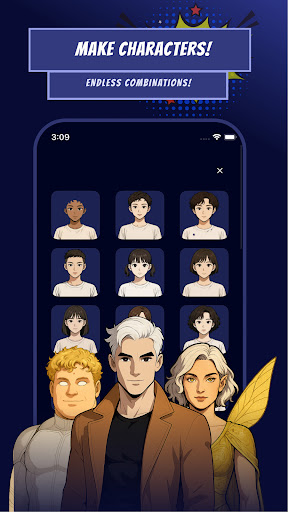
3. Create engaging comics with customizable characters and styles
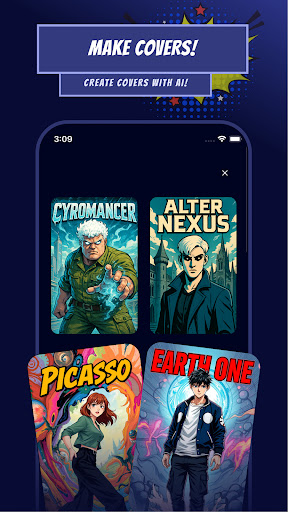
4. Generate visuals from simple descriptions for professional quality
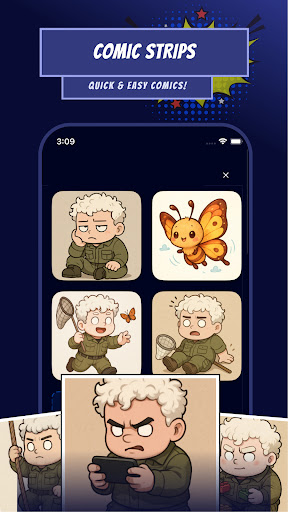
5. Design dynamic panel layouts with drag-and-drop features
6. Explore and share diverse user-generated manga comics
7. Export high-resolution comics for digital and print uses
8. Connect with creative community for inspiration and feedback
Pros
- +User-friendly interfaceThe app offers an intuitive layout that makes comic creation accessible for all skill levels.
- +Rich drawing tools and templatesProvides a wide variety of brushes, backgrounds, and characters to enhance creativity.
- +Easy sharing optionsAllows users to export and share comics directly to social media platforms seamlessly.
- +Regular updates and new assetsThe developer frequently adds new content and features, keeping the experience fresh.
- +Affordable pricing modelOffers good value with a reasonable subscription fee or one-time purchase.
Cons
- -Limited free featuresMany advanced tools are behind a paywall, which may restrict casual users.medium
- -Occasional app crashesSome users experience crashes when working with high-resolution images or complex projects, but updates are expected to improve stability.medium
- -Basic animation features are limitedAnimations are simplified, which may not satisfy users seeking professional-level effects; waiting for future updates could help.low
- -Export options could be more diverseCurrently, exporting is mostly limited to image files; adding formats like PDF or video would enhance usability.low
- -Learning curve for advanced toolsWhile simple for beginners, some features may require tutorials; official guides or community forums could ease this.low
FAQ
How do I start using Comic maker - Arcstory for creating comics?
Getting started with Comic maker - Arcstory is straightforward. After installing this engaging mobile app, you can create your first comic by opening the app and selecting the 'New Comic' option. Its user-friendly interface makes the process simple for beginners.
This app features intuitive tools that help you design your comic panels easily, whether you're using an Android device or other compatible smartphones. It offers a smooth app experience, making comic creation accessible to everyone, even if you're new to this genre of the app based solution.
Is Comic maker - Arcstory safe to use on my device?
Yes, Comic maker - Arcstory is designed to be safe for users. It's available on reputable app stores like Google Play, where it undergoes standard security checks. Always ensure you download from official sources to keep your device secure.
This Android app follows the usual safety protocols and developer guidelines, giving you peace of mind while exploring its creative app features. Using a trusted launcher app or app based solution guarantees a safer and more reliable experience.
What are the main app features of Comic maker - Arcstory?
This comic making app offers a variety of features that make storytelling fun and easy. You can access a wide selection of customizable characters, backgrounds, and speech bubbles. The app features include drag-and-drop tools, comic templates, and editing options that enhance your creativity.
With its focus on providing a comprehensive app experience, Comic maker - Arcstory allows you to create detailed comics without much hassle. It's perfect for comic enthusiasts who want an app based solution that combines simplicity with powerful tools.
Can I use Comic maker - Arcstory offline, or does it require an internet connection?
You can enjoy much of the app features offline once you've installed Comic maker - Arcstory on your device. This makes it convenient to create and edit comics anytime, without needing an internet connection.
Having an offline app experience ensures that your creative process isn't interrupted by connectivity issues. Whether you're using the app on Android or other devices, its design supports a seamless, app based solution for comic creation.
How often is Comic maker - Arcstory updated, and does it support different device versions?
The developer regularly updates Comic maker - Arcstory to add new features, improve stability, and enhance user experience. It's compatible with most recent versions of Android, ensuring smooth operation on various devices.
Staying up to date with app updates provides users with a better app experience, more app features, and increased security. This commitment to quality makes it a trustworthy choice for comic creators on their mobile devices.





