

CamScanner- scanner, PDF maker
CamScanner, the leading PDF scanner app, for quick document digitization, OCR, and sharing. Enjoy free and enhance your productivity today!
Screenshots
Download CamScanner- scanner, PDF maker
You are going to be redirected to the official website to finish the download when you click the button below.
About CamScanner- scanner, PDF maker
CamScanner- scanner, PDF maker is a versatile mobile app designed to transform your smartphone into a powerful document scanner. It allows users to easily capture, organize, and share documents in high-quality PDF or image formats. As an intuitive Android app, it provides an efficient app experience for managing various paperwork tasks effectively and conveniently.
Overview
Core Features
- Offers comprehensive document scanning with automatic edge detection for clear, professional-quality images.
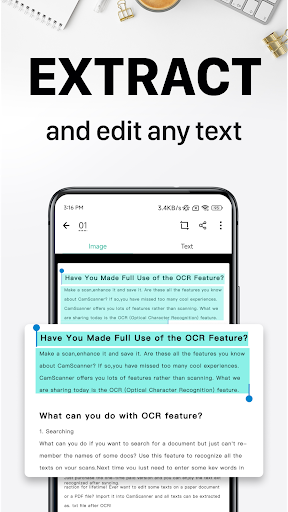
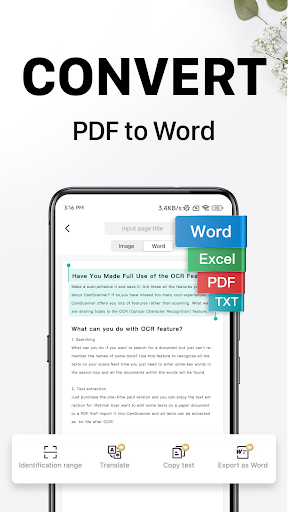
- Includes versatile app features like OCR text recognition to extract editable content from scans easily.
- Supports PDF creation and editing, making it straightforward to compile multiple scans into a single document.
- Provides options for cloud storage integration, ensuring your files are securely backed up and accessible across devices.
- Features an intuitive interface that enhances the app experience, even for users new to mobile scanning solutions.
- Enables offline mode, allowing users to scan and save documents without an active internet connection.
- Offers seamless sharing options directly from the app, streamlining collaboration and document transfer.
Who This App Is For
This mobile app is ideal for students, professionals, and small business owners who need quick and reliable document scanning on their Android devices. It suits users seeking an efficient app-based solution for managing digital documents.
Whether you're needing to digitize notes, contracts, or receipts, this app provides a user-friendly experience that fits into busy workflows. It's perfect for anyone looking for a versatile launcher app that enhances productivity through easy scanning and PDF creation.
Why Choose This App
This Android app stands out with its advanced app features that deliver high-quality scans and accurate OCR. It offers an app experience that combines simplicity with powerful tools, making document management more efficient.
Designed as a trusted app-based solution, it helps users solve everyday problems like organizing and sharing documents effortlessly, setting it apart from other scanner apps on the market.
Features
1. User-friendly interface for easy document management
2. High-precision scanning with automatic edge detection
3. Quick digitalization of receipts, notes, and papers
4. Enhance scan clarity with auto-improvement algorithms
5. Extract searchable text using OCR technology
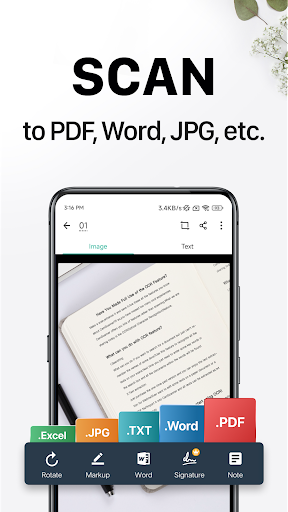
6. Share files seamlessly in PDF and JPEG formats
7. Wirelessly print and remotely send faxes
8. Organize documents efficiently through tagging and search
Pros
- +High-quality scanning with automatic edge detectionCamScanner accurately detects document edges, leading to clear scans even in cluttered backgrounds.
- +Multiple export options including PDF and JPEGUsers can easily export scanned documents in different formats suitable for various uses.
- +Built-in OCR feature for text recognitionThe app allows users to extract editable text from scanned documents, improving productivity.
- +Cloud integration for easy sharing and storageScans can be uploaded directly to cloud services like Google Drive and Dropbox for seamless access.
- +User-friendly interface with intuitive controlsThe app provides an accessible experience even for beginners, reducing the learning curve.
Cons
- -Occasional recognition errors in OCROCR may misread complex fonts or poor quality images; manual correction might be necessary.medium
- -Limited free storage space for high-resolution scansFree users may find storage options restrictive; upgrading plans are required for more space.medium
- -Watermark on free scans in some versionsThe free version may add watermarks to documents, which can be removed via subscription.low
- -Some features require internet connection to function fullyOffline access to certain functionalities like cloud upload may be limited.low
- -User privacy concerns due to data collection practicesSome users may worry about data security; the company has ongoing improvements to address this.high





