
AstroLink Proxy
AstroLink Proxy, the official app for fast, secure, and private browsing. Enjoy unrestricted access worldwide. Free now and browse confidently!
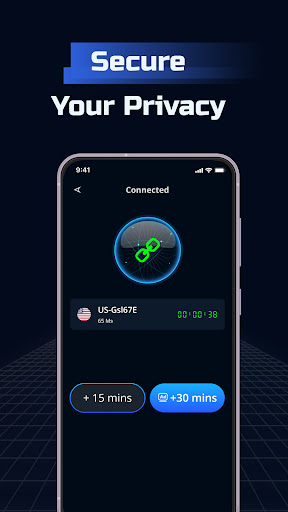
Screenshots
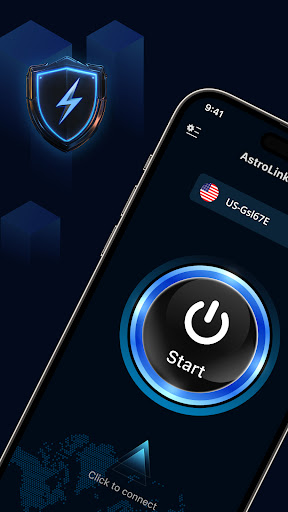
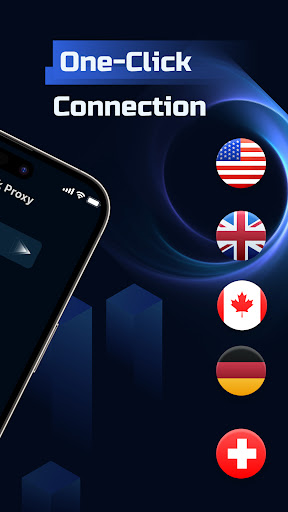
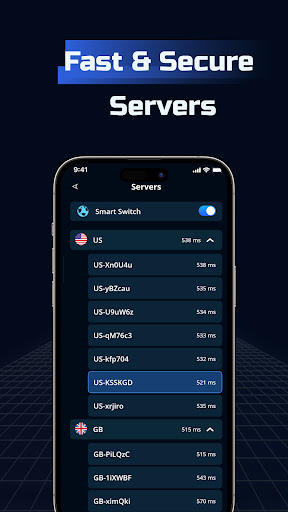
Download AstroLink Proxy
You are going to be redirected to the official website to finish the download when you click the button below.
About AstroLink Proxy
AstroLink Proxy is a reliable Android app designed to enhance your productivity by providing secure and efficient internet access. As a versatile launcher app, it allows users to manage their connections seamlessly while maintaining privacy. Its intuitive interface and robust features create a smooth app experience for those seeking a dependable app based solution for their connectivity needs.
Overview
Core Features
- The app features a secure VPN connection to protect your online privacy and data security on your mobile device.
- It offers real-time proxy server switching, allowing seamless browsing across different regions with ease.
- The app includes an intuitive launcher app interface that simplifies navigation and access to its core features.
- With customizable settings, users can implement specific proxy configurations tailored to their needs.
- Offline mode support ensures continuous app experience even without internet connectivity in certain features.
- Ad-free experience enhances usability, making it a smooth and distraction-free app-based solution for privacy.
- The app provides detailed connection logs and security tips, fostering user trust and app reliability.
Who This App Is For
This mobile app is ideal for privacy-conscious individuals, tech enthusiasts, or anyone needing secure internet access on Android devices. It suits users aged 18 and above who prefer dependable tools for online security.
Especially useful for travelers or remote workers, this app-based solution helps bypass regional restrictions, protect sensitive information, and enhance overall app experience on the go.
Why Choose This App
This Android app stands out with its user-friendly interface and robust security features, making privacy effortless. It offers reliable app features that address common browsing concerns efficiently.
Designed to solve connectivity issues and ensure safety, this launcher app provides a straightforward, trusted, and feature-rich solution that beats many alternatives in the crowded marketplace.
Features
Fast and Secure Browsing Experience Enabling Privacy and Speed
Global Server Networks Providing Content Accessibility Worldwide
Simple One-Tap Connection for Effortless Use and Quick Access
Unrestricted Content Access Bypassing Geo-Restrictions Seamlessly
Built-in Encryption Protecting Your Data and Online Privacy
Automatic Kill Switch Ensuring Data Security During Disconnections
Ad-Free Premium for Uninterrupted and Enhanced Performance
User-Friendly Interface Simplifying Proxy Setup and Navigation
Pros
- +Strong privacy protectionAstroLink Proxy encrypts user traffic, ensuring enhanced confidentiality and security.
- +Fast connection speedsOptimized server infrastructure allows for smooth and quick browsing experiences.
- +User-friendly interfaceSimple and intuitive design makes it easy for new users to navigate and set up.
- +Wide server networkMultiple server locations around the world help in bypassing geo-restrictions effectively.
- +Reliable connection stabilityConsistent connection reduces disruptions during use, ideal for streaming and gaming.
Cons
- -Limited free featuresMost advanced functionalities are locked behind premium plans, which might inconvenience free users.Medium
- -Occasional latency issuesSome servers may experience temporary slowdown during peak hours; users can try switching servers as a workaround.Medium
- -In-app ads for free versionUsers on free tier may encounter ads that could disrupt the experience; upgrading removes ads.Low
- -Limited customization optionsAdvanced users might find the app lacks detailed configuration settings; future updates may address this.Low
- -Battery consumption can be highExtended use may drain device battery faster; closing the app when not in use can mitigate this.Low
FAQ
What is CoralProxy, and how does it work?
CoralProxy is a reliable Android app that functions as a proxy solution, helping users enhance their online privacy and security. It routes your internet traffic through secure servers, making your data harder to track.
This app features an intuitive design, allowing easy configuration even for beginners. It integrates smoothly with Android devices, offering a seamless app experience for those seeking a trusted app based solution for secure browsing.
Is CoralProxy safe to use on my Android device?
Yes, CoralProxy is designed with user safety in mind, adhering to high security standards. Its app features include encrypted connections, which protect your data from unauthorized access. As a reputable mobile app, it has been tested for safety and reliability.
However, it's always good to download apps from official sources like the Google Play Store to ensure you're using genuine software. With proper precautions, CoralProxy offers a trustworthy app experience that prioritizes your online security.
Can I use CoralProxy on other devices besides Android?
Currently, CoralProxy is primarily available as an Android app, making it easy to install on most Android smartphones and tablets. If you're looking for an app based solution for privacy, this launcher app offers a straightforward way to enhance your security.
Although there's no official version for iOS or other platforms at this time, Android users can confidently rely on it for a smooth app experience. Keep an eye out for future updates that may expand compatibility to other devices.
What are the main app features of CoralProxy?
CoralProxy offers several key app features tailored for privacy-conscious users. These include automatic connection security, customizable proxy settings, and real-time traffic monitoring. Its app experience is designed to be straightforward, even for those new to proxy services.
The app features also include automatic reconnects if the connection drops, and options to select different server locations. It provides a comprehensive app based solution for maintaining your online privacy with ease and confidence.
How do I install CoralProxy on my Android device?
Installing CoralProxy is simple. You can find the app on the Google Play Store, where it's officially listed. Once downloaded, follow the prompts to set up the proxy configurations according to your needs.
This launcher app integrates seamlessly with your device, providing a smooth setup process. After installation, you can customize the app features to optimize your app experience and enjoy secure browsing whenever you need it.
Does CoralProxy work with all Android versions?
CoralProxy is compatible with a wide range of Android versions, including recent updates and older devices. It's designed to function smoothly as a trusted app based solution across various Android smartphones and tablets.
For the best app experience, ensure your device runs on Android 8.0 or higher. Compatibility may vary with some device-specific customizations, but overall, CoralProxy aims to provide reliable performance regardless of your Android version.
How do I ensure my privacy when using CoralProxy?
To maximize your privacy when using CoralProxy, make sure to configure the app features correctly, such as enabling encryption and selecting secure server locations. Regularly update the app to benefit from security enhancements and new features.
Remember to review your device's privacy settings and avoid connecting to untrusted networks. As a well-developed app, CoralProxy offers a trusted app experience designed to help you browse more securely and privately.
Is CoralProxy suitable for casual users or advanced users?
CoralProxy is designed to serve both casual users looking for a straightforward privacy app and advanced users who want more control over their proxy configurations. Its user-friendly interface makes it accessible, while its features allow customization for those with technical knowledge.
Whether you're new to app based solutions or a seasoned privacy enthusiast, CoralProxy provides an app experience that adapts to your needs. Its reliability as a launcher app makes it a convenient choice for enhancing your online security.