
AR Drawing: Trace & Sketch
AR Trace Sketch, the top app for artists to improve sketches using augmented reality. Free now and elevate your art practice with guided overlays.
Screenshots

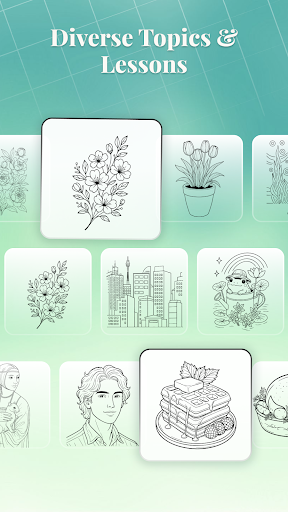
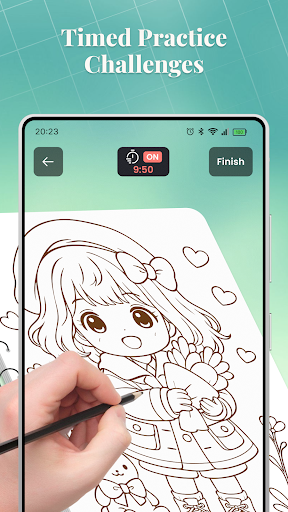
Download AR Drawing: Trace & Sketch
You are going to be redirected to the official website to finish the download when you click the button below.
About AR Drawing: Trace & Sketch
AR Trace Sketch is a versatile mobile app designed for artists and creative minds to enhance their drawing and sketching experience. Available as an intuitive Android app, it allows users to trace images, create sketches, and explore various art projects with ease. Its user-friendly interface and powerful features make it a popular choice for those seeking an engaging app-based solution to develop their artistic skills.
Overview
Core Features
- Intuitive drawing tools for sketching, tracing, and coloring with precision and ease.
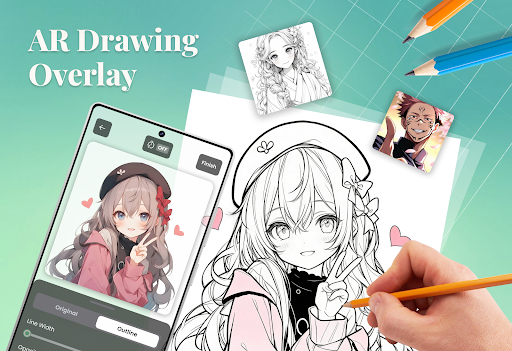
- Advanced AR technology that overlays sketches onto real-world environments for creative inspiration.
- Multiple export options, including saving projects in different formats for sharing or further editing.
- Real-time editing features that allow users to update their sketches seamlessly on their mobile device.
- Offline mode support, enabling users to work without an internet connection, perfect for on-the-go use.
- Easy-to-navigate interface that enhances the overall app experience, especially for beginners.
Who This App Is For
This mobile app is ideal for artists, students, and hobbyists who enjoy digital drawing or sketching. It suits those looking for a versatile app-based solution to unleash their creativity on Android devices.
Whether you're a beginner exploring art or a seasoned illustrator working on projects, this Android app provides practical tools and features to meet your needs in various scenarios, from quick sketches to detailed designs.
Why Choose This App
Mainly, this Android app stands out by offering a rich set of app features that deliver a smooth app experience for creative users. Its focus on AR-enhanced sketches and user-friendly design makes it a top choice among launcher apps for visual creation.
By addressing common challenges like complex interfaces and limited tools, it provides a reliable app-based solution that helps users develop their skills, collaborate, and produce professional-quality sketches efficiently.
Features
Simplified AR drawing guide for artists
Enhanced visual overlays for precise sketching
• Select or capture images for tracing
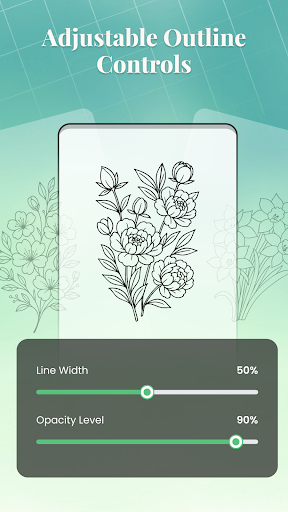
• Adjust overlay opacity and line thickness
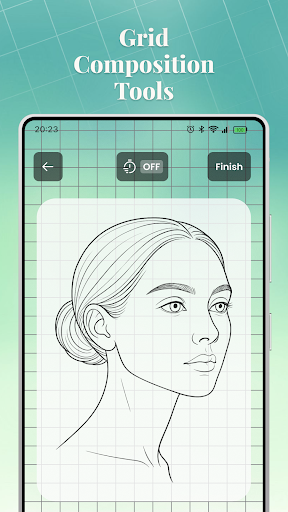
• Use grid lines for better alignment
• Crop images for focused practice
• Access organized lessons and challenges
• Customize overlay settings for better control
• Use overlay in low-light conditions
• Review sketches with easy navigation
Pros
- +Intuitive AR tracing featureAllows users to easily overlay sketches onto real-world surfaces with minimal learning curve.
- +High-precision trackingProvides accurate alignment of digital sketches to physical objects, improving drawing accuracy.
- +User-friendly interfaceSimplifies the design process, making it accessible for both beginners and professionals.
- +Supports multiple device integrationWorks seamlessly across various AR-capable smartphones and tablets for versatile usage.
- +Real-time feedbackOffers immediate visual updates, enhancing sketch refinement and adjustment.
Cons
- -Limited object recognition capabilitiesCurrently struggles to accurately identify complex surfaces, which may cause misalignments.medium
- -Occasional tracking drift in dynamic environmentsTracking may falter when the user or device moves quickly, affecting sketch stability.medium
- -Battery consumption relatively highProlonged use can drain device batteries faster; users might consider using power-saving modes.low
- -Limited editing tools within the appAdvanced editing features may be lacking; exporting sketches to other apps for refinement can be a workaround.low
- -Requires good lighting conditionsPerformance may decrease in low-light environments; using external lighting can improve experience.low





